Tell a counsellor what you do today and where you want to be seen. Fifteen minutes, no pitch.
Data & BICurriculum updated Oct 2026
TTFA Academy · A fellowship for people at work
Power BI Expert
For Excel reporting, some pivot tablesPower BI Developer
Dashboards, DAX, Power Query and Report Server, built on the datasets your mentors use at work. From Excel reporting, some pivot tables to Power BI Developer, taught by people who do the job.
Designed for AI-native Power BI roles: Copilot in Power BI for DAX, report pages and summaries, what it needs to run, and how to check it, in the Generative AI for Analysts module.
Power BI Expert is a live online program for the Excel reporting, some pivot tables: the next step is being seen as a Power BI Developer. Dashboards, DAX, Power Query and Report Server, built on the datasets your mentors use at work. Classes run over 12–16 weeks on weeknight evenings and weekends in IST and are recorded the same day, so a late shift doesn't cost you the week. You work in Power BI, DAX, Power Query and SQL on projects modelled on the mentors' production work, each reviewed 1:1, with doubt-solving on the LMS between classes. A counsellor confirms the batch, the schedule and the fee on one call; nothing is charged on the call.
Why this program
Why people pick Power BI Expert.
Results, your career, the part of the job you do by hand today, and who teaches it.
Results-focused
A Power BI report a manager actually uses
Modelled, measured in DAX, refreshed on a schedule and published. By week eight you have a build your team could open, reviewed by someone who does this for a living.
Career-focused
From Excel reporting to Power BI developer
You know the numbers. The programme adds the model, the DAX and the service side that the Power BI developer role asks for, with PL-300 preparation.
Pain-point focused
The pivot that breaks every month
Power Query that cleans it once, a model that holds, and a refresh that runs without you. The monthly rebuild goes away.
Premium and professional
Taught by people who run this at work
Mentors who build this in production, projects modelled on their own, 1:1 review of every build, recordings the same day. For analysts who want to be taken seriously, not for anyone collecting certificates.
Who this is for
For Excel reporting, some pivot tables.
You already do part of this job. The program closes the gap between where you are and being seen as a Power BI Developer.
You are a Excel reporting, some pivot tables and want the next role
You know your domain; Power BI is what you are missing
You can give evenings and weekends for the length of the program
You'd rather show working projects than a certificate
Probably not for you, yet
If you haven't worked in the domain at all, a counsellor will say so on the call and point you to a better starting program. If you want a certificate more than a portfolio, this isn't it.
What you'll build
Three projects you can show.
Each project is modelled on the mentors' production work and reviewed 1:1. Together they are your portfolio.
Project 1
A Power BI project from real work
Modelled on the mentor's production work, with the messy parts left in, reviewed 1:1.
Project 2
A build you own end to end
Brief, build, review: the way a manager would hand it to you, with the checks that stop it breaking next month.
Project 3
A final project reviewed like production
Published, documented and defended, with the notes a senior would give you.
Curriculum
Three modules, in the order the work happens.
12 to 16 weeks, depending on your pace. Each module ends with an assignment a mentor reviews.
Reviewed in Oct 2026: 6 topics added to match what the work now asks for.
3 modules · 23 topics · pick a module to see what it covers
Module 1 of 31 new
Power BI Foundations
Understand data analytics fundamentals and Power BI architecture to transform raw data into meaningful business insights.
Introduction to Power BI
Overview of Power BI and its ecosystem. · Components: Power BI Desktop, Service, Mobile App, and Gateway. · Installation and setup of Power BI Desktop. · Interface walkthrough and navigation.
Connecting to Data
Supported data sources in Power BI. · Connecting to Excel, CSV, and databases. · Import, DirectQuery and Direct Lake modes. · Managing and transforming data in Power Query.
Data Preparation and Modeling
Cleaning and transforming data using Power Query. · Creating relationships between tables. · Understanding star and snowflake schemas. · Data types and formatting.
Creating Visualizations
Building bar charts, line charts, and pie charts. · Using slicers, filters, and drill-throughs. · Formatting visualizations for clarity. · Building basic dashboards.
Introduction to DAX (Data Analysis Expressions)
Basics of DAX and calculated columns. · Simple measures: SUM, AVERAGE, COUNT. · Using logical functions like IF and SWITCH. · Introduction to time intelligence.
Publishing and Sharing
Publishing reports to Power BI Service. · Sharing dashboards and reports with users. · Exporting reports to PDF and PowerPoint. · Embedding reports in apps or websites.
Power BI Mobile App
Setting up the Power BI Mobile app. · Accessing reports and dashboards on mobile. · Creating mobile-optimized layouts.
Power BI inside Microsoft FabricNew
OneLake, lakehouse and Dataflows Gen2 in brief · Where a Power BI report sits in a Fabric workspace
Tools
The tools you'll work in.
You use each one on the kind of data your mentors handle at work, not on a toy example.
The exams are the vendors' own, taken separately; TTFA is not affiliated with them.
And the skills around the tool
Critical Thinking
Abstract Thinking
Analytical Thinking
Problem-Solving Mindset
Business Acumen
Communication & Storytelling
Stakeholder Thinking
Curiosity & Question Framing
Attention to Detail (with big-picture balance)
Learning Agility
TTFA Academy is an independent training provider. It is not affiliated with, endorsed by or a partner of Microsoft, Salesforce or Alteryx. Microsoft, Power BI, Excel and Fabric are trademarks of the Microsoft group of companies. Tableau is a trademark of Salesforce, Inc. Alteryx is a trademark of Alteryx, Inc. Names are used only to identify the tools taught.
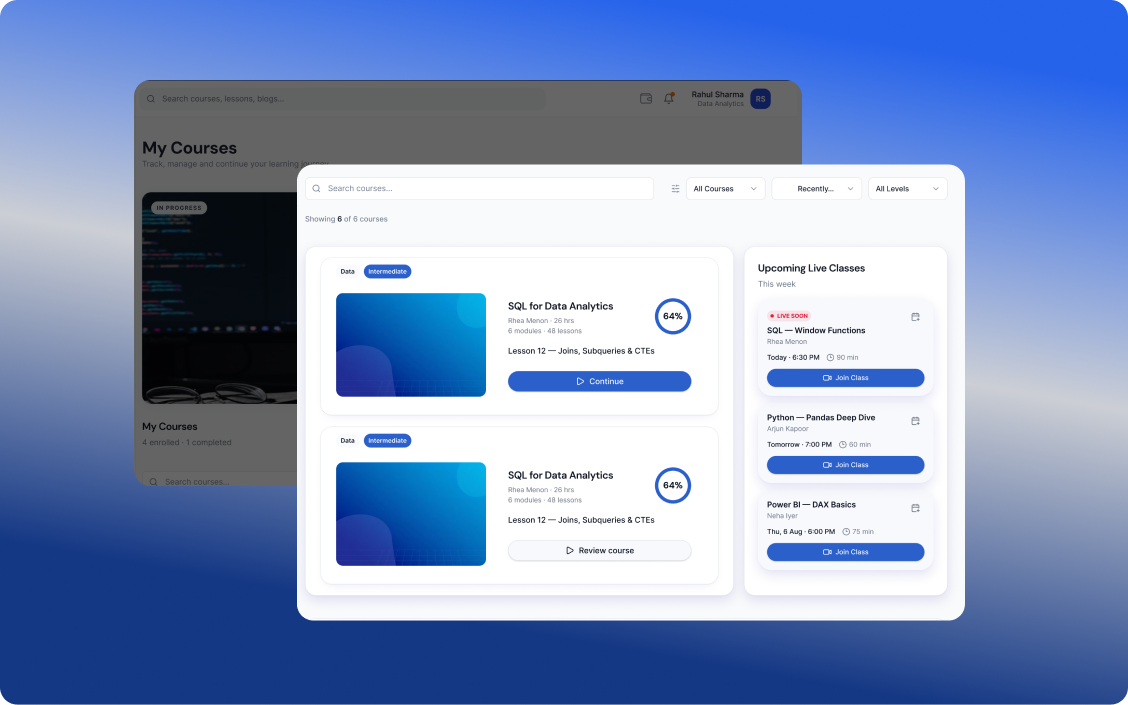
LMS EXPERIENCE
Your Complete Learning Journey, All in One Place
Learn at your pace, practice through real-world projects, build your skills, earn certifications, and discover opportunities that match your potential.
01
Learn & Build Skills
Complete industry-relevant courses designed to build practical skills and prepare you for real-world applications.
Hands-on learning
Practical Assignments & Projects
Industry Aligned Curriculum
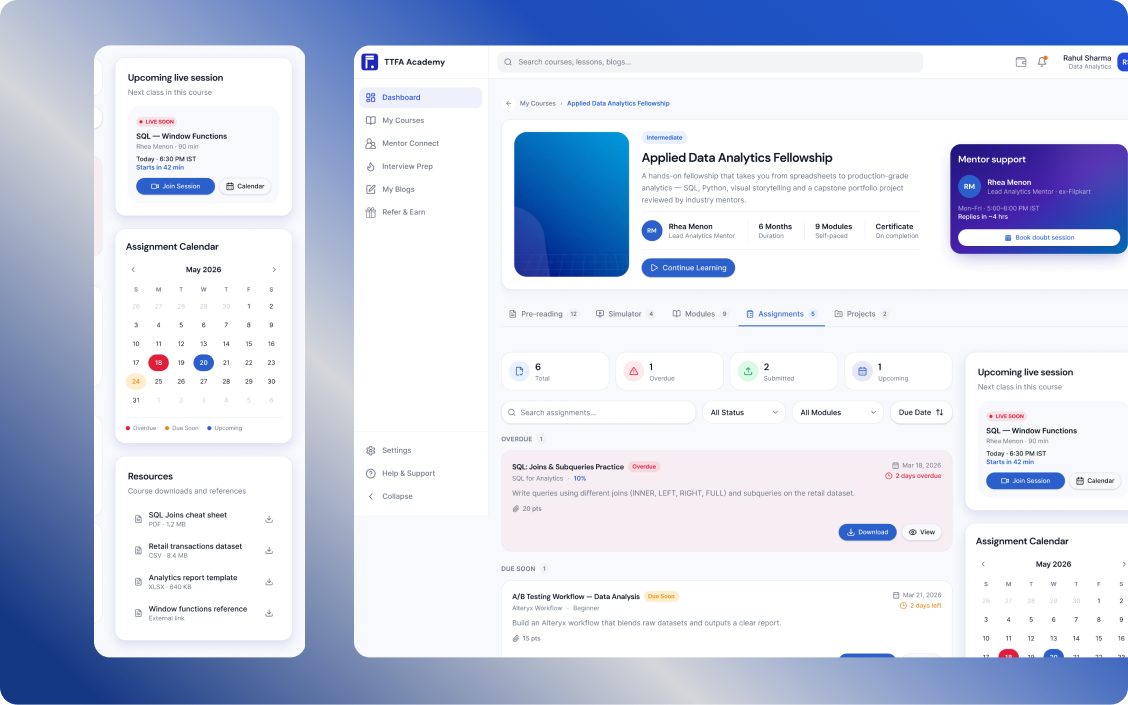
02
Learn Through Real Projects
Put your learning into practice with assignments and hands-on projects designed to build practical skills and help you grow with confidence.
Practical assignments to strengthen your skills
Real-world projects to apply what you learn
Build experience and grow your portfolio
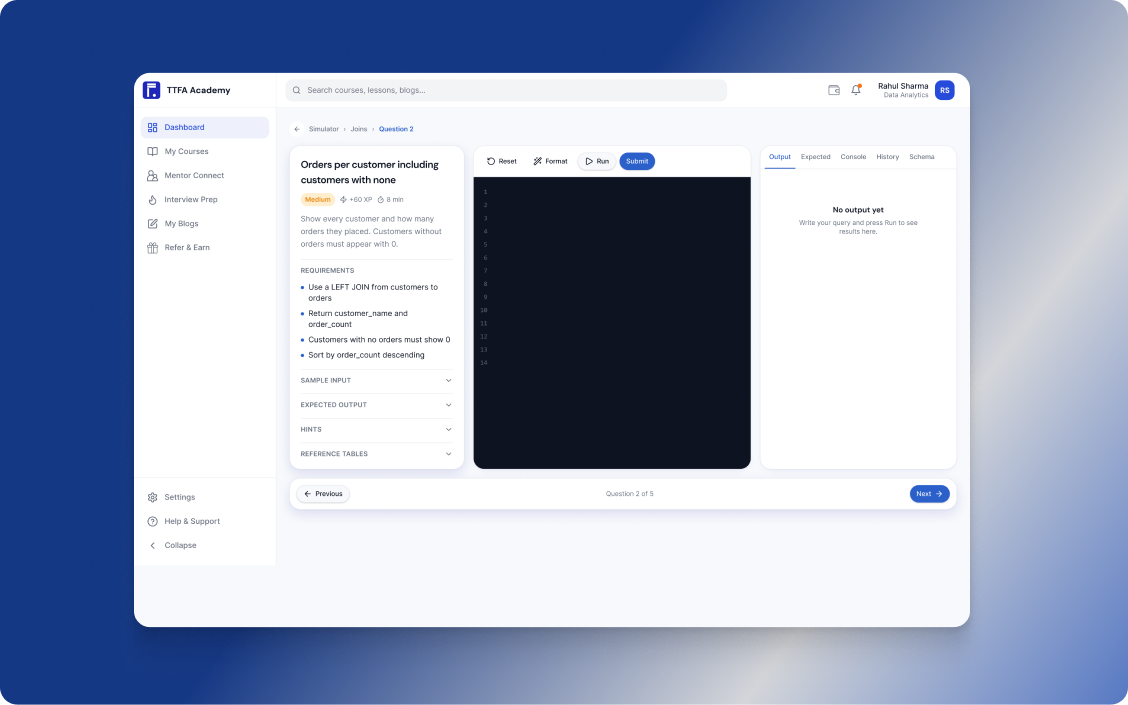
03
Learn by Doing
Practise real-world tasks with interactive simulators that help you apply your knowledge, sharpen your skills, and prepare for the workplace.
Real-world practice
Interactive simulations
Build skills with confidence
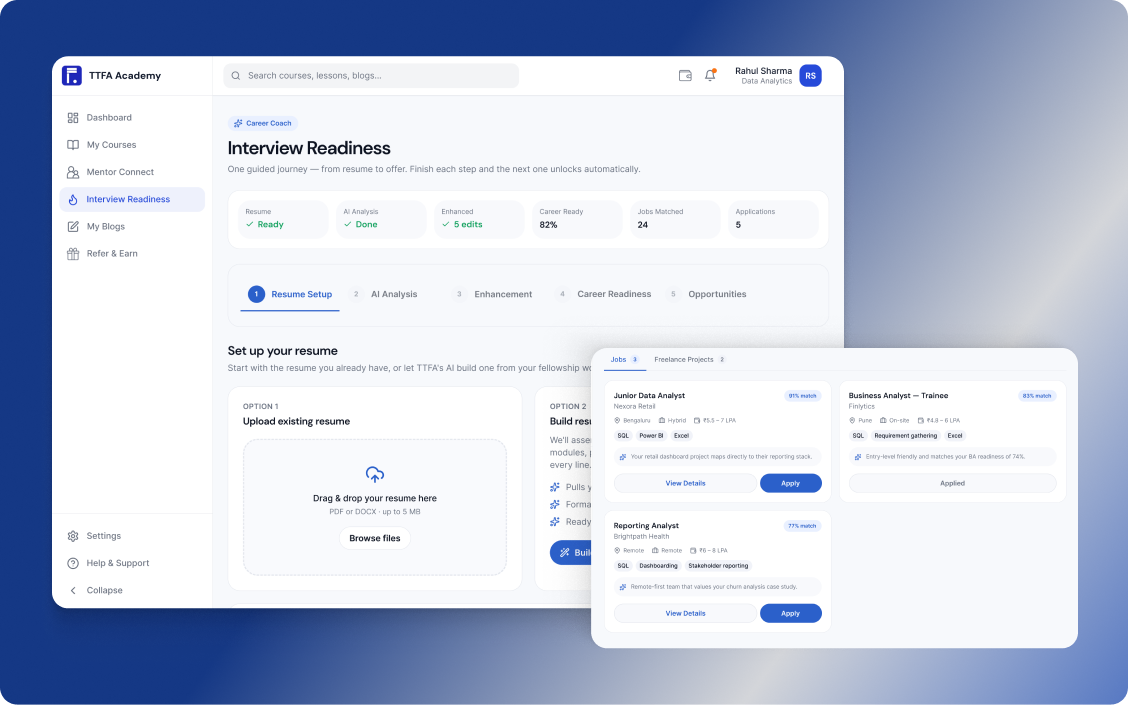
04
Discover Your Next Opportunity
Upload and enhance your resume, then discover job and freelance opportunities matched to your skills, experience, and career goals.
AI-powered resume enhancement
Personalized job & freelance recommendations
Apply to opportunities that match your profile
05
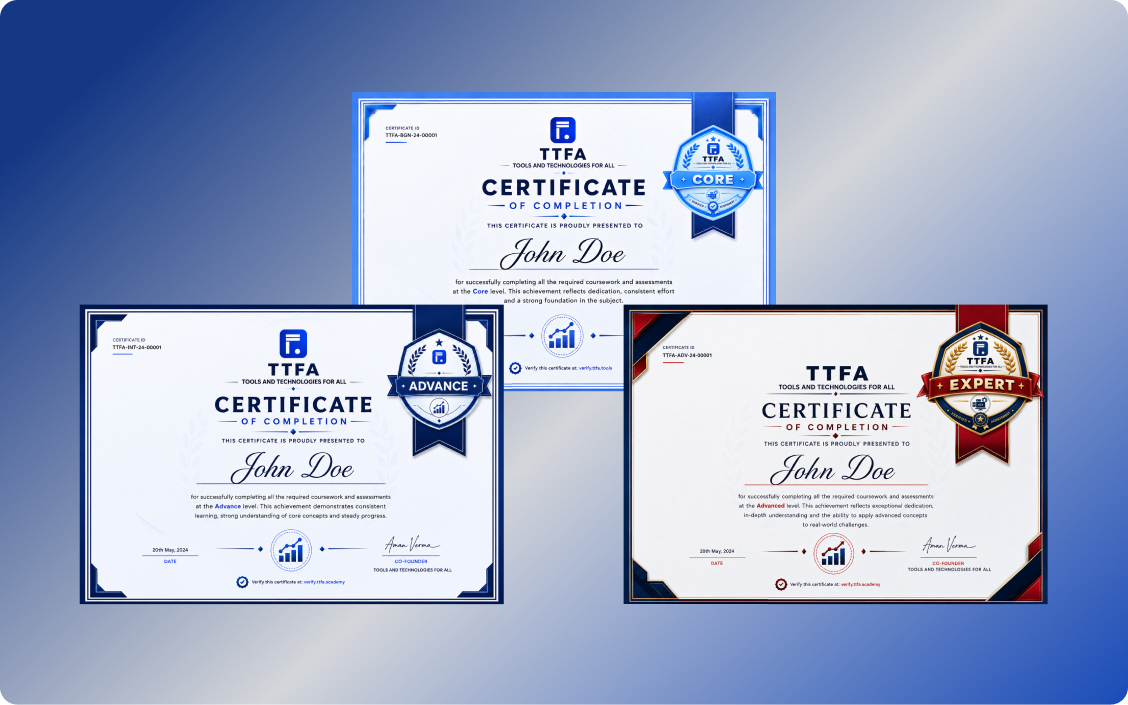
Earn Certifications as You Grow
Complete projects, build your skills, and unlock certifications at each level as you progress through your learning journey.
Core
Advance
Expert
Your mentors
People who do this work in production.
Names, employers and photos appear only with their written permission.
Jitendra Singh
Power BI Expert
Jitendra Singh
Lead Instructor
Jitendra leads instruction at TTFA across the analytics stack: Alteryx workflows, Tableau and Power BI dashboards, SQL and Python on real company data, and the GenAI layer on top of them, from agents and MCP to RAG. He teaches the job the way it is done at work: real data, in the order you meet it, with the mistakes left in.
Power BI Expert
Sarvdeep Singh
Power BI Expert
Sarvdeep Singh
Data & BI mentor
Sarvdeep mentors across the Data & BI programs: Power BI dashboards, SQL for the questions behind them, and Excel for the analysis most teams still start in, with the reporting discipline that makes an analyst's numbers trusted on a Monday morning.
Power BI Expert
Arvind Tiwary
Power BI Expert
Arvind Tiwary
Senior analytics consultant
Arvind trains the analyst's working stack: Python and Alteryx for preparing and automating data, SQL for querying it, and Excel for the models and reports that run on it. He teaches the consultant's habits as well: scoping the work with the person who will use it, and handing it over so it survives without you.
Power BI Expert
How the weeks run
Built around a full-time job.
A counsellor confirms the exact days and times for your batch on the call.
1
Weeknight live classes
Two evenings a week with the mentor, on the work of the week.
2
Weekend lab
Project time with the mentor in the room: build, get stuck, get unstuck.
3
Recordings and 1:1 slots
Every class recorded the same day; 1:1 doubt-solving whenever you're stuck.
4
Final project review
Your projects reviewed like production work, with notes you can act on.
Data & BI
If this isn't quite the one.
Programs next to this one. A counsellor will tell you which fits what you do today.
Yes. The program assumes you know your work, not the tool. If you've never worked in the domain, a counsellor will point you to a better start.
Every class is recorded the same day, and 1:1 slots exist for exactly this. Most people who fall behind catch up in a week.
There is career support: mock interviews, profile reviews and referrals where we have them. Nobody honest can promise you a role; your projects make the case for you.
Both. Power BI Expert is VILT (virtual instructor-led training): live online classes in the evenings and on weekends, in IST, recorded the same day so you can rewatch them. It runs 12–16 weeks, depending on your pace.
Designed for AI-native Power BI roles: Copilot in Power BI for DAX, report pages and summaries, what it needs to run, and how to check it, in the Generative AI for Analysts module.
Power BI, DAX, Power Query and SQL, the way they are used at work, on projects modelled on the mentors' own. The curriculum section lists every module and topic.
Fees are not published on the site. A counsellor confirms the fee, GST and the instalment options in writing after one call; nothing is charged on the call.
Notes
Reading before you decide on Power BI Expert.
Researched by the mentors, with every source and the date it was last checked.