Skip to content
Product & DesignCurriculum updated Oct 2026

TTFA Academy · A fellowship for people at work

UI/UX Designer Fellowship

For graphic or visual designerUI/UX Designer

Research, wireframes, prototypes and design systems in Figma, reviewed the way a product team reviews. From graphic or visual designer to UI/UX Designer, taught by people who do the job.

Designed for AI-native design roles: the AI in the Design Workflow module covers Figma AI for first drafts, research synthesis with an assistant, AI copy and imagery for prototypes, and the judgement to check all of it.

  • 24–36 weeksevenings and weekends
  • 8 modules57 topics
  • 7 toolson real data
  • VILTvirtual instructor-led, recorded the same day
View curriculum

What is UI/UX Designer Fellowship?

Curriculum updated

UI/UX Designer Fellowship is a live online program for the graphic or visual designer: the next step is being seen as an UI/UX Designer. Research, wireframes, prototypes and design systems in Figma, reviewed the way a product team reviews. Classes run over 24–36 weeks on weeknight evenings and weekends in IST and are recorded the same day, so a late shift doesn't cost you the week. You work in Figma, Design systems and Prototyping on projects modelled on the mentors' production work, each reviewed 1:1, with doubt-solving on the LMS between classes. A counsellor confirms the batch, the schedule and the fee on one call; nothing is charged on the call.

Why this program

Why people pick UI/UX Designer Fellowship.

Results, your career, the part of the job you do by hand today, and who teaches it.

Results-focused

A portfolio with research behind it

Research, wireframes, prototypes and a design system in Figma, on real briefs, reviewed the way a design lead reviews work.

Career-focused

From graphic designer to UI/UX designer

You have the eye. The programme adds user research, information architecture, prototyping and usability testing: the product work the role is hired for.

Pain-point focused

Designs that look right and don't get used

You learn to find out why before you draw: research, testing and the iterations in between. Then the design earns its place.

Premium and professional

Taught by designers who do this at work

Mentors who design products in production, briefs modelled on their own, 1:1 critique of every screen, recordings the same day. For designers who want to be taken seriously.

Who this is for

For graphic or visual designer.

You already do part of this job. The program closes the gap between where you are and being seen as a UI/UX Designer.

  • You are a graphic or visual designer and want the next role
  • You know your domain; Figma is what you are missing
  • You can give evenings and weekends for the length of the program
  • You'd rather show working projects than a certificate

Probably not for you, yet

If you haven't worked in the domain at all, a counsellor will say so on the call and point you to a better starting program. If you want a certificate more than a portfolio, this isn't it.

What you'll build

Three projects you can show.

Each project is modelled on the mentors' production work and reviewed 1:1. Together they are your portfolio.

  • Project 1

    A Figma project from real work

    Modelled on the mentor's production work, with the messy parts left in, reviewed 1:1.

  • Project 2

    A build you own end to end

    Brief, build, review: the way a manager would hand it to you, with the checks that stop it breaking next month.

  • Project 3

    A final project reviewed like production

    Published, documented and defended, with the notes a senior would give you.

Curriculum

Eight modules, in the order the work happens.

24 to 36 weeks, depending on your pace. Each module ends with an assignment a mentor reviews.

  • Reviewed in Oct 2026: 5 topics added to match what the work now asks for.

8 modules · 57 topics · pick a module to see what it covers

Module 1 of 8

Introduction to UI/UX & Product Design

Understand UI/UX design fundamentals, design thinking, and user-centered design principles to create effective digital products.

  • UI vs UX Fundamentals

    Understanding the difference between User Interface (UI) and User Experience (UX) in digital product design. · Overview of modern product design roles including UX Designer, Product Designer, Interaction Designer, and UX Researcher.

  • Design Fundamentals

    Core principles of visual hierarchy, balance, alignment, and consistency. · Understanding how design impacts user behavior and product success.

  • Digital Product Ecosystem

    Overview of web apps, mobile apps, SaaS platforms, and digital products. · Understanding how UX integrates with product management and development teams.

  • Design Process Overview

    Introduction to the UX design lifecycle from research to product launch. · Understanding iterative design and agile product development.

  • Design Thinking Framework

    Understanding the five stages of design thinking: Empathize, Define, Ideate, Prototype, and Test. · Applying design thinking to solve real user problems.

  • User-Centered Design

    Designing solutions focused on user needs and behaviors. · Creating meaningful experiences through empathy-driven design.

  • Problem Definition

    Identifying user pain points and defining clear product problems. · Writing problem statements and design goals.

  • Ideation Techniques

    Brainstorming and creative ideation methods. · Using mind mapping and sketching to explore design solutions. · Running an ideation workshop on a Miro board.

Tools

The tools you'll work in.

You use each one on the kind of data your mentors handle at work, not on a toy example.

  • Figma
  • Jira
    Jira
  • Canva
    Canva
  • Miro
    Miro
  • Adobe XD
    Adobe XD
  • Sketch
    Sketch
  • Generative AI
    Generative AI

Figma

UI design and prototyping

Adobe XD & Sketch

interface design tools

Canva

quick design assets and marketing visuals

Prototyping tools for interactive user flows

Design Thinking and User Research

UX Writing and Interaction Design

And the skills around the tool

  • Critical Thinking
  • Abstract Thinking
  • Analytical Thinking
  • Problem-Solving Mindset
  • Communication & Storytelling
  • Business Acumen
  • Stakeholder Thinking
  • Curiosity & Question Framing
  • Attention to Detail (with big-picture balance)
  • Learning Agility

TTFA Academy is an independent training provider. It is not affiliated with, endorsed by or a partner of Microsoft, Salesforce or Alteryx. Microsoft, Power BI, Excel and Fabric are trademarks of the Microsoft group of companies. Tableau is a trademark of Salesforce, Inc. Alteryx is a trademark of Alteryx, Inc. Names are used only to identify the tools taught.


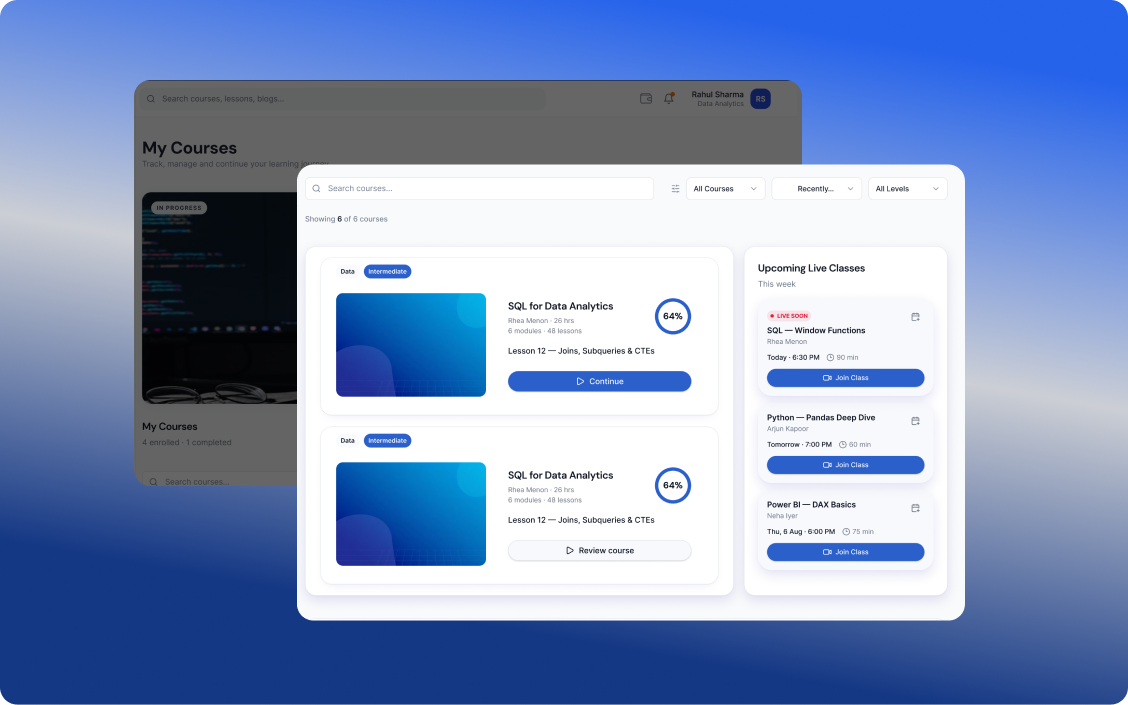
LMS EXPERIENCE

Your Complete Learning Journey, All in One Place

Learn at your pace, practice through real-world projects, build your skills, earn certifications, and discover opportunities that match your potential.

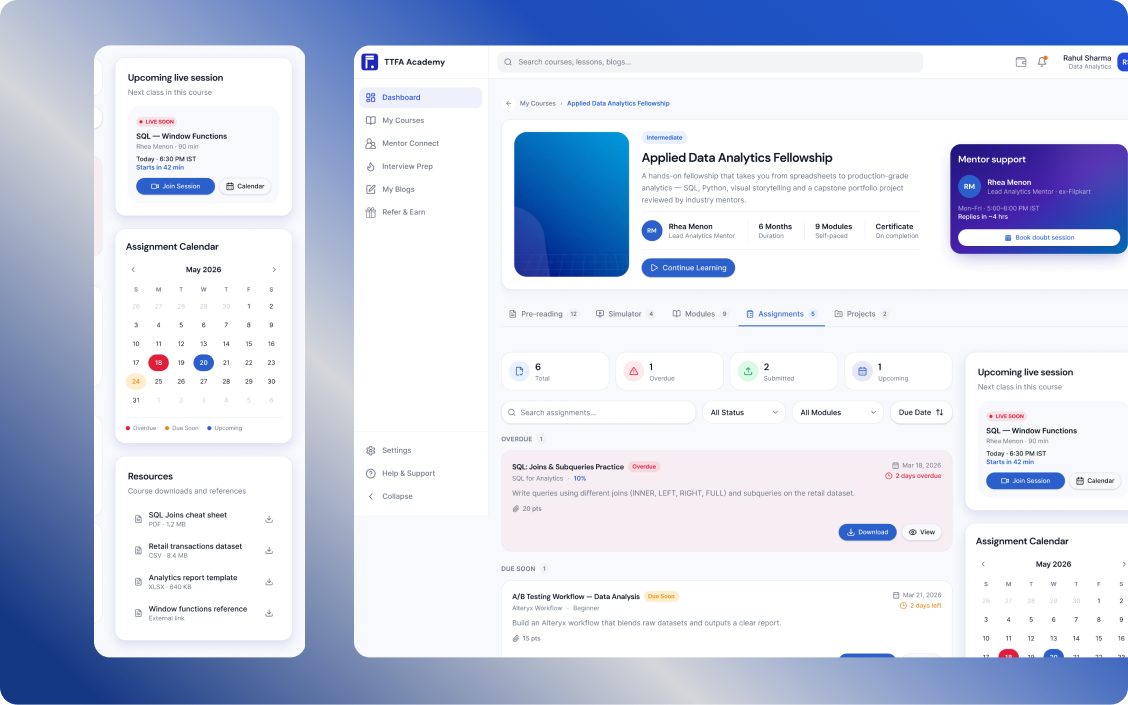
Learn and build skills
01

Learn & Build Skills

Complete industry-relevant courses designed to build practical skills and prepare you for real-world applications.

  • Hands-on learning
  • Practical Assignments & Projects
  • Industry Aligned Curriculum
Learn through real projects
02

Learn Through Real Projects

Put your learning into practice with assignments and hands-on projects designed to build practical skills and help you grow with confidence.

  • Practical assignments to strengthen your skills
  • Real-world projects to apply what you learn
  • Build experience and grow your portfolio
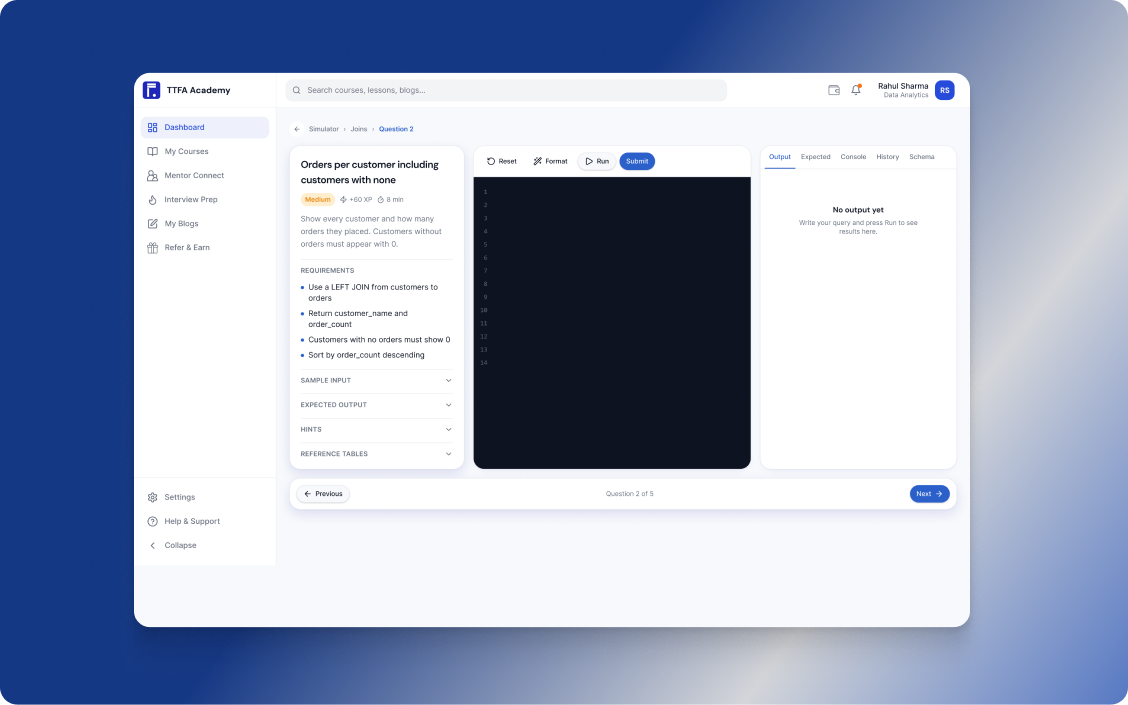
Learn by doing
03

Learn by Doing

Practise real-world tasks with interactive simulators that help you apply your knowledge, sharpen your skills, and prepare for the workplace.

  • Real-world practice
  • Interactive simulations
  • Build skills with confidence
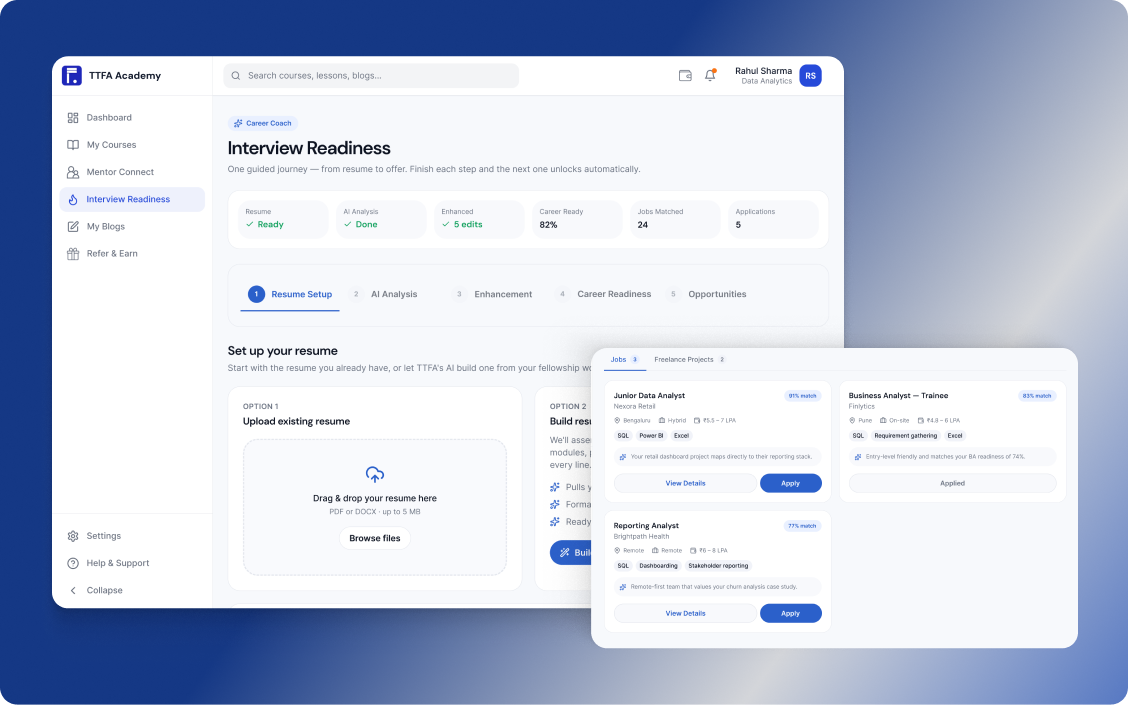
Discover your next opportunity
04

Discover Your Next Opportunity

Upload and enhance your resume, then discover job and freelance opportunities matched to your skills, experience, and career goals.

  • AI-powered resume enhancement
  • Personalized job & freelance recommendations
  • Apply to opportunities that match your profile
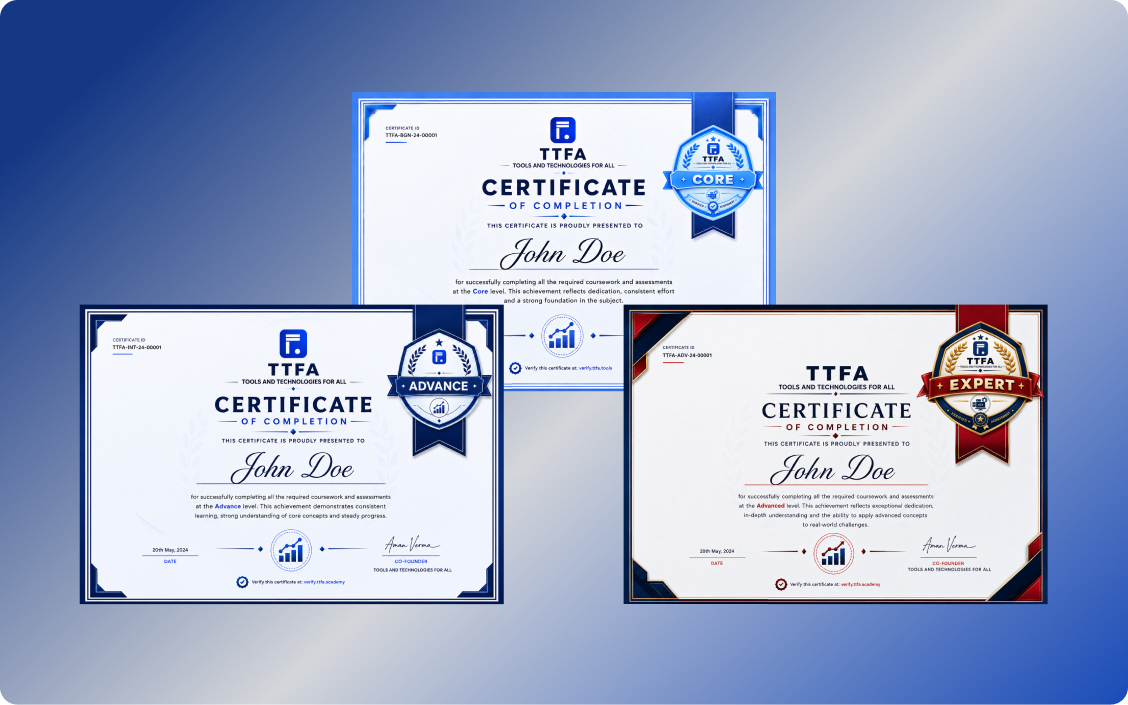
Earn certifications as you grow
05

Earn Certifications as You Grow

Complete projects, build your skills, and unlock certifications at each level as you progress through your learning journey.

  • Core
  • Advance
  • Expert

Your mentors

People who do this work in production.

Names, employers and photos appear only with their written permission.

How the weeks run

Built around a full-time job.

A counsellor confirms the exact days and times for your batch on the call.

  1. Weeknight live classes

    Two evenings a week with the mentor, on the work of the week.

  2. Weekend lab

    Project time with the mentor in the room: build, get stuck, get unstuck.

  3. Recordings and 1:1 slots

    Every class recorded the same day; 1:1 doubt-solving whenever you're stuck.

  4. Final project review

    Your projects reviewed like production work, with notes you can act on.

Questions

About this program.

Anything else: ask on the call.

Yes. The program assumes you know your work, not the tool. If you've never worked in the domain, a counsellor will point you to a better start.

Bring your current work to the call.

A counsellor looks at what you do today and tells you, straight, whether UI/UX Designer Fellowship is the right next step.

Seamless Learning across every Device