Skip to content

Advanced Tableau Consultant course, live online for working professionalsTableau Consultant

For analyst or BI userTableau Developer

Dashboard design, Tableau Server, deployment and the way consultants scope and hand over work. From analyst or BI user to Tableau Developer, taught by people who do the job.

Designed for AI-native consulting roles: Tableau Agent for vizzes and calculations and prompting for SQL, in the Generative AI for Analysts module, with the checks before a client relies on it.

  • 8 weekslive classes on weekends
  • 6 modules52 topics
  • 3 toolson real data
  • VILTvirtual instructor-led, recorded the same day
View full curriculum

What is Tableau Consultant?

Curriculum updated

Tableau Consultant is a live online program for the analyst or BI user: the next step is being seen as a Tableau Developer. Dashboard design, Tableau Server, deployment and the way consultants scope and hand over work. Classes run over 8 weeks on weekends in IST, 2.5 hours on Saturday and 2.5 hours on Sunday, and are recorded the same day, so a busy week at work doesn't cost you the class. You work in Tableau, Tableau Server and SQL. The training is project-based: 7 assignments and 1 end-to-end live structured project at each level, modelled on the mentors' production work, with a weekly 1:1 review. A counsellor confirms the batch, the schedule and the fee on one call; nothing is charged on the call.

Why this program

Why people pick Tableau Consultant.

Results, your career, the part of the job you do by hand today, and who teaches it.

Results-focused

Dashboards deployed and governed on Server

Design, data sources, permissions and deployment: the consultant's full handover, built and reviewed 1:1.

Career-focused

From BI user to Tableau consultant

Scoping a dashboard brief, choosing the data source, deploying and training the users. The programme adds the consulting work around the viz.

Pain-point focused

Dashboards nobody opens after launch

You learn what makes a dashboard stick: the question, the design, the performance and the rollout. Then you build one that does.

Premium and professional

Taught by people who run this at work

Mentors who build this in production, projects modelled on their own, a weekly 1:1 review, recordings the same day. For analysts who want to be taken seriously, not for anyone collecting certificates.

Who this is for

For analyst or BI user.

You already do part of this job. The program closes the gap between where you are and being seen as a Tableau Developer.

  • You are a analyst or BI user and want the next role
  • You know your domain; Tableau is what you are missing
  • You can give your weekends for the length of the program
  • You'd rather show working projects than a certificate

Probably not for you, yet

If you haven't worked in the domain at all, a counsellor will say so on the call and point you to a better starting program. If you want a certificate more than a portfolio, this isn't it.

What you'll build

Project work you can show.

One end-to-end live structured project at each level, modelled on the mentors' production work and reviewed 1:1. This is the kind of work it covers.

  • 01

    Tableau, taken from real work

    Modelled on the mentor's production work, with the messy parts left in, reviewed 1:1.

  • 02

    A build you own end to end

    Brief, build, review: the way a manager would hand it to you, with the checks that stop it breaking next month.

  • 03

    A review like production

    Published, documented and defended, with the notes a senior would give you.

Curriculum

Two tools, each at three levels: Fundamentals, Advanced and Expert.

Fundamentals covers the interface and the basics, Advanced is where you build projects, and Expert covers integrations and advanced use of the tool. There are 7 assignments and 1 end-to-end live structured project at each level, reviewed by a mentor.

SQL

SQL

Three levels · taught in SQL Foundations and SQL Advanced

  1. Level 1 of 3

    Fundamentals

    The interface and the basics

    9 topics

    • What SQL is and where it is used
    • Setting up PostgreSQL, MySQL and SQL Server
    • The query editor, basic commands and syntax
    • Importing tables from Excel and other sources
    • Query types: DDL, DML, DCL and TCL
    • Aggregate, string and date functions
    All 9 topics
    • Primary and foreign keys; constraints for data integrity
    • Joins: inner, outer, left, right, cross and self
    • Subqueries and nested queries

    You build: A small database loaded from files, and the queries behind a sales report.

    7 assignments and 1 end-to-end live structured project

  2. Level 2 of 3

    Advanced

    Building projects

    8 topics

    • CTEs and window functions for reporting
    • Stored procedures with parameters
    • Triggers, before and after, with real use cases
    • Transactions and ACID: commit, rollback and savepoints
    • Isolation levels, concurrency and deadlocks
    • Dynamic SQL and preventing SQL injection
    All 8 topics
    • Storing and querying JSON
    • Materialized views and refresh strategies

    You build: A reporting layer for a month-end report: procedures, CTEs and window-function queries.

    7 assignments and 1 end-to-end live structured project

  3. Level 3 of 3

    Expert

    Integrations and advanced use

    8 topics

    • Indexing: creation, maintenance and fragmentation
    • Query optimisation with indexing and caching
    • Reading an execution plan to find the slow step
    • Choosing between an index, a rewritten query and a materialized view
    • Database security: role-based access and encryption basics
    • SQL on a cloud warehouse: T-SQL on Microsoft Fabric Warehouse
    All 8 topics
    • What changes when the data sits in a lakehouse
    • Custom SQL queries in Tableau

    You build: A slow report query tuned and documented: the plan before, the plan after, and why.

    7 assignments and 1 end-to-end live structured project

Tableau

Tableau

Three levels · taught in Tableau Desktop Essentials and Tableau Desktop Advanced

  1. Level 1 of 3

    Fundamentals

    The interface and the basics

    9 topics

    • The Tableau product suite, set-up and interface
    • Connecting to Excel, CSV and databases; live and extract
    • Joins, unions and relationships; when to relate, when to join
    • Tableau Prep for cleaning; pivoting and splitting columns
    • Bar, line and pie charts; filters, groups and sets
    • Calculated fields: arithmetic, IF and CASE, aggregations
    All 9 topics
    • Table calculations
    • Maps: geographic roles and layers
    • Dashboards and stories; sharing on Tableau Public

    You build: A first dashboard and story, published to Tableau Public.

    7 assignments and 1 end-to-end live structured project

  2. Level 2 of 3

    Advanced

    Building projects

    10 topics

    • Dual-axis and combined charts; bullet graphs, heatmaps, treemaps
    • Waterfall charts and box plots
    • Parameters for interactive views
    • LOD (level of detail) expressions
    • Advanced table calculations: moving averages and rank
    • Dashboard actions: filter, highlight, URL, set and parameter
    All 10 topics
    • Dynamic zone visibility
    • Advanced mapping: custom geocoding, spatial files, density maps
    • Performance: extracts and large datasets
    • Tableau Desktop Foundations certification preparation

    You build: An interactive, parameter-driven dashboard for a leadership review.

    7 assignments and 1 end-to-end live structured project
  3. Level 3 of 3

    Expert

    Integrations and advanced use

    10 topics

    • Cloud databases: AWS, Snowflake and Google BigQuery
    • Custom SQL and data blending
    • Publishing to Tableau Server and Tableau Cloud
    • Permissions, user roles, alerts and subscriptions
    • Building and publishing a Tableau Prep flow
    • Python and R with TabPy and RServe
    All 10 topics
    • Tableau APIs for custom solutions
    • Tableau Pulse and Tableau Agent
    • Tableau Next: Salesforce’s agentic analytics platform, and what it means for a Tableau developer
    • Published data sources, and row-level security with user filters

    You build: A dashboard on Tableau Server or Tableau Cloud with permissions and subscriptions, fed by a Prep flow.

    7 assignments and 1 end-to-end live structured project
Module by module

Six modules, in the order the work happens.

About 8 weeks. 7 assignments and 1 end-to-end live project at each level, reviewed by a mentor.

  • Reviewed in Oct 2026: 15 topics added to match what the work now asks for.

6 modules · 52 topics · pick a module to see what it covers

Module 1 of 6

SQL Foundations

Equip participants with the skills to manage, query, and analyze data efficiently using SQL tools and techniques.

  • SQL Introduction

    Overview of SQL and Its Applications · Importance of SQL in Data Management

  • Application Installation

    Setting Up SQL Tools (PostgreSQL, MySQL, SQL Server) · Configuring Workspaces

  • Introduction to Application Interface

    Understanding the Query Editor · Basic Commands and Syntax

  • Importing Tables from Sources

    Connecting to Excel and Other Data Sources · Data Import Methods

  • Queries & Types

    DDL (Data Definition Language) · DML (Data Manipulation Language) · DCL (Data Control Language) · TCL (Transaction Control Language)

  • SQL Functions

    Aggregate Functions (SUM, AVG, COUNT) · String and Date Functions

  • Keys & Constraints

    Primary and Foreign Keys · Constraints for Data Integrity

  • Joins & Types

    INNER JOIN, OUTER JOIN, LEFT JOIN, RIGHT JOIN · Cross Joins and Self Joins

  • Nested Queries

    Writing Subqueries · Advanced Query Structures

Tools

The tools you'll work in.

You use each one on the kind of data your mentors handle at work, not on a toy example.

  • SQL
    SQL
  • Tableau
    Tableau
  • Generative AI
    Generative AI

Prepares you for

The exams are the vendors' own, taken separately; TTFA is not affiliated with them.

And the skills around the tool

  • Critical Thinking
  • Abstract Thinking
  • Analytical Thinking
  • Problem-Solving Mindset
  • Business Acumen
  • Communication & Storytelling
  • Stakeholder Thinking
  • Curiosity & Question Framing
  • Attention to Detail (with big-picture balance)
  • Learning Agility

TTFA Academy is an independent training provider. It is not affiliated with, endorsed by or a partner of Microsoft, Salesforce or Alteryx. Microsoft, Power BI, Excel and Fabric are trademarks of the Microsoft group of companies. Tableau is a trademark of Salesforce, Inc. Alteryx is a trademark of Alteryx, Inc. Names are used only to identify the tools taught.

AI-native

AI is taught inside each tool, and as a module of its own.

Designed for AI-native consulting roles: Tableau Agent for vizzes and calculations and prompting for SQL, in the Generative AI for Analysts module, with the checks before a client relies on it.

AI inside each tool

  • SQL

    SQL

    Prompting for SQL

    • Turning a plain-language question into a query
    • Giving the assistant the schema: table and column names
    • Explaining, fixing and documenting a query with an assistant

    Taught in Generative AI for Analysts

  • Tableau

    Tableau

    Tableau Pulse and Tableau Agent

    • Defining a metric in Tableau Pulse and following it
    • Using Tableau Agent to draft a viz or a calculation
    • Checking what the agent produced

    Taught in Tableau Desktop Advanced

  • Tableau

    Tableau

    Tableau Next

    • Tableau Next: Salesforce’s agentic analytics platform
    • What it means for a Tableau developer

    Taught in Tableau Desktop Advanced

The module · 4 topics

Generative AI for Analysts, topic by topic

An assistant drafts; you answer for the number. These topics include how to check what an assistant gives you, and how to keep data private while you use one.

  1. Topic 1

    Prompting for SQL

    • Turning a plain-language question into a query
    • Giving the assistant the schema: table and column names
    • Explaining, fixing and documenting a query with an assistant
  2. Topic 2

    Assistants inside BI Tools

    • Copilot in Power BI: DAX, report pages and summaries
    • Tableau Agent: vizzes and calculations
    • What each one needs to run: licences and capacity
  3. Topic 3

    Checking AI Output

    How you check AI output

    • Reading the query before running it
    • Testing on a case you already know the answer to
    • Reconciling totals against a number you trust
  4. Topic 4

    Data Privacy with AI Tools

    How you keep data private

    • What enterprise assistants do with your prompts, and what consumer chatbots do
    • Keeping customer data out of public tools
    • India’s DPDP Rules: what changes for personal data

What a project looks like

Brief, build, review. Like work.

One end-to-end live structured project at each level. Each one is modelled on a mentor's real production work, never on client data.
  • The brief

    A one-page brief the way a manager would write it: the ask, the data, the deadline, what “done” means.

  • The build

    You build it over the level, with a 1:1 review every week. The mentor reviews the work-in-progress.

  • The review

    A production-style review: what would break, what a senior would change, what to say about it in an interview.

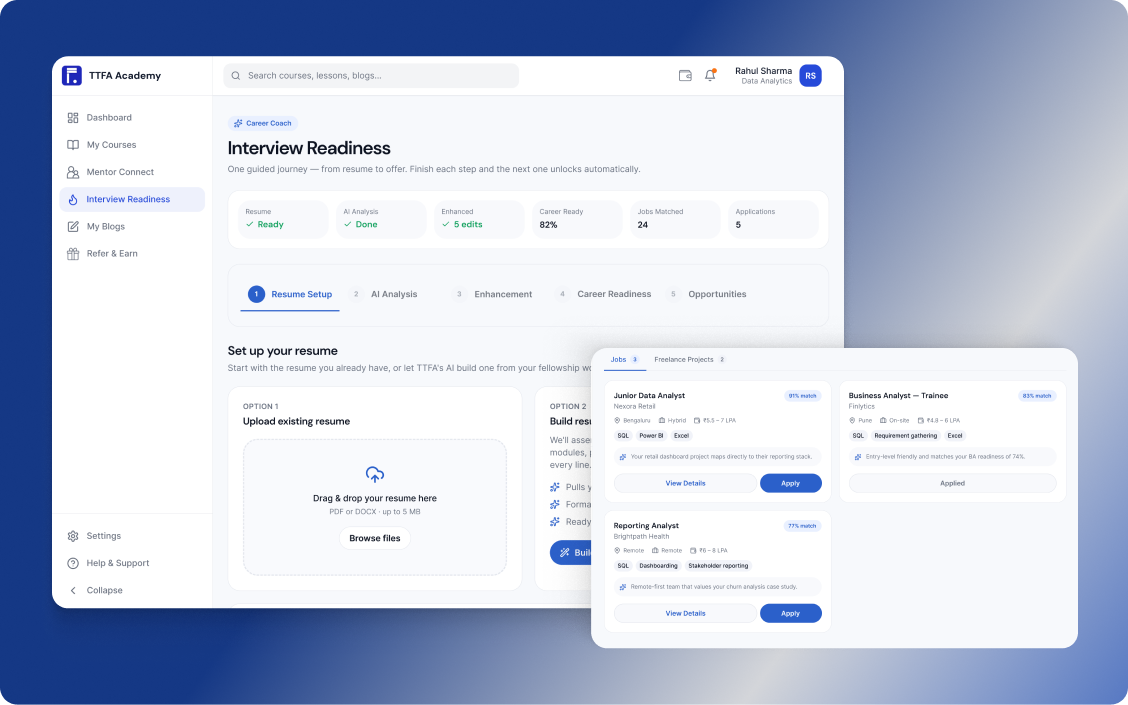
LMS experience

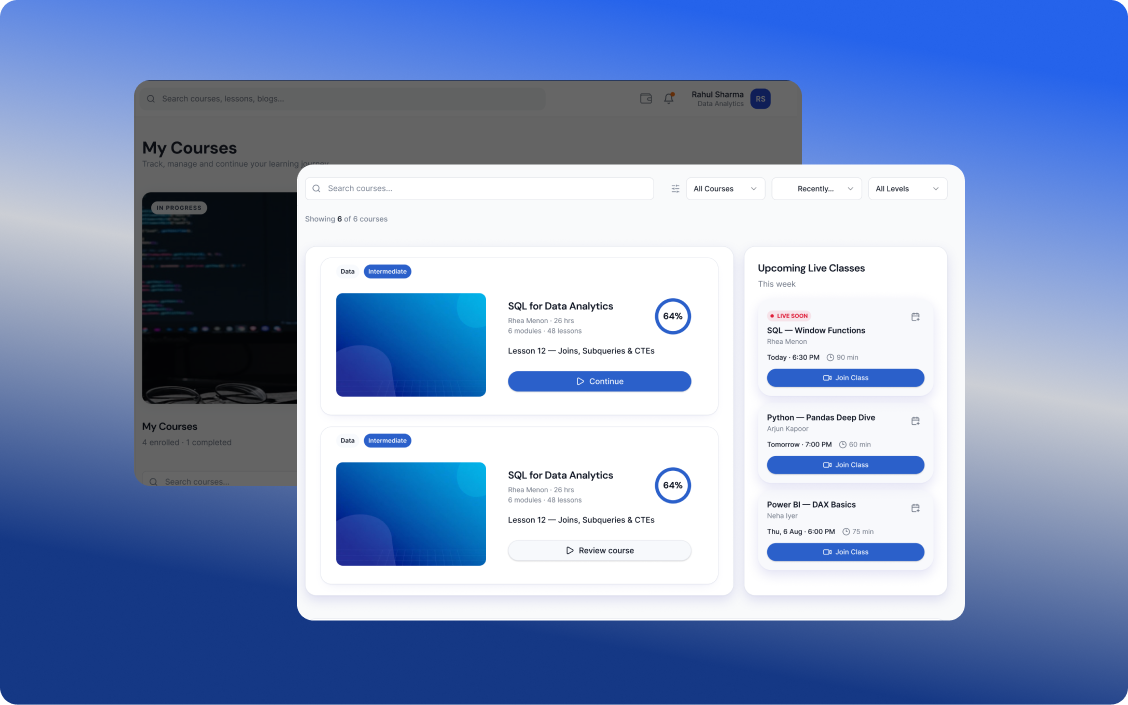
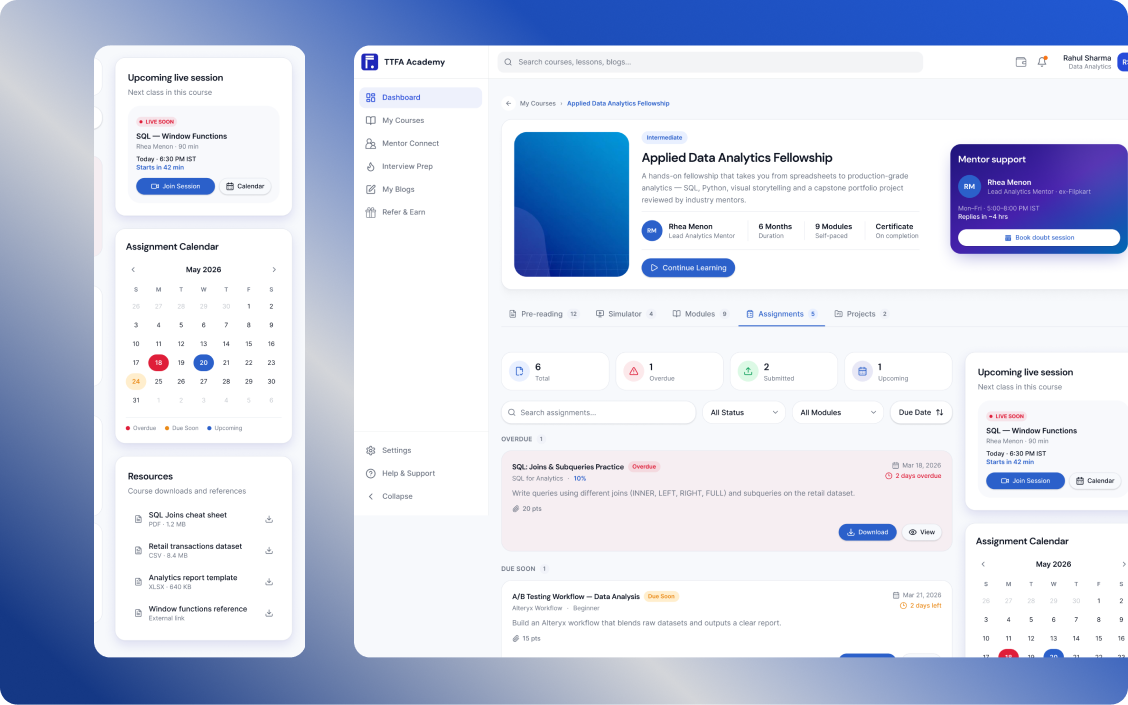
Your complete learning journey, all in one place

Learn at your pace, practise through real-world projects, build your skills, earn certifications, and discover opportunities that match your potential.

Learn and build skills
Step 01

Learn and build skills

Complete industry-relevant courses designed to build practical skills and prepare you for real-world applications.

  • Hands-on learning
  • Practical assignments and projects
  • Industry-aligned curriculum
Learn through real projects
Step 02

Learn through real projects

Put your learning into practice with assignments and hands-on projects designed to build practical skills and help you grow with confidence.

  • Practical assignments to strengthen your skills
  • Real-world projects to apply what you learn
  • Build experience and grow your portfolio
Learn by doing
Step 03

Learn by doing

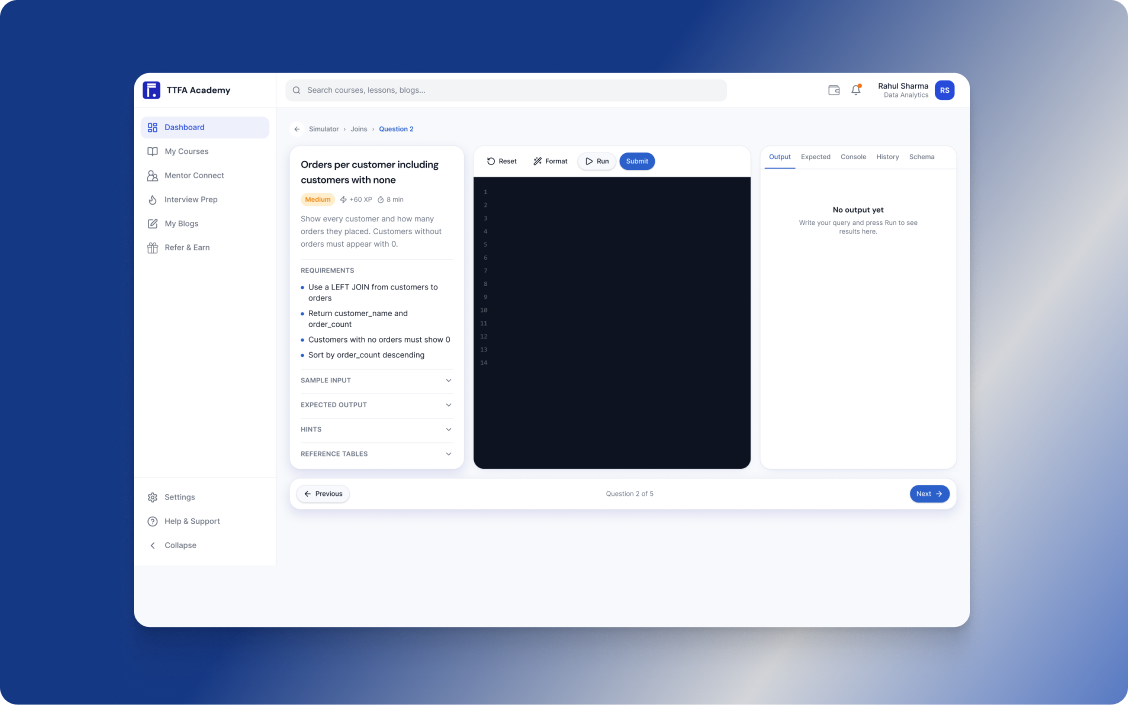
Practise real-world tasks with interactive simulators that help you apply your knowledge, sharpen your skills, and prepare for the workplace.

  • Real-world practice
  • Interactive simulations
  • Build skills with confidence
Discover your next opportunity
Step 04

Discover your next opportunity

Upload and enhance your resume, then discover job and freelance opportunities matched to your skills, experience, and career goals.

  • AI-powered resume enhancement
  • Personalised job and freelance recommendations
  • Apply to opportunities that match your profile
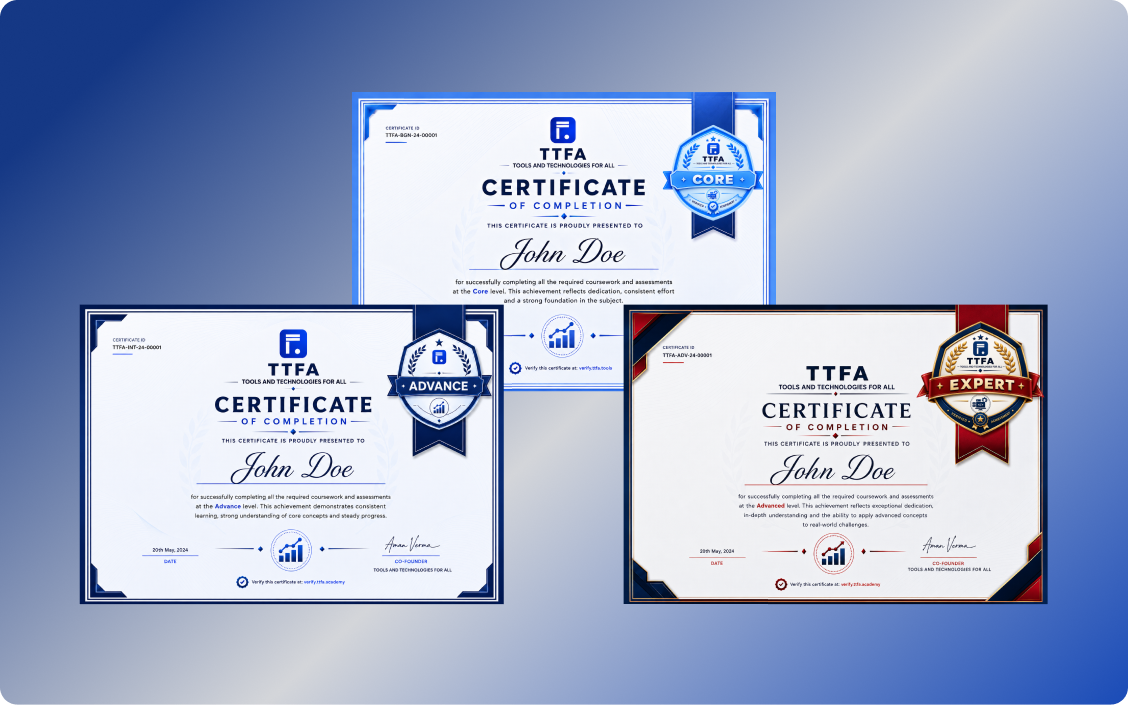
Earn certifications as you grow
Step 05

Earn certifications as you grow

Complete projects, build your skills, and unlock certifications at each level as you progress through your learning journey.

  • Fundamentals
  • Advanced
  • Expert

Faculty

You learn the work, not only the tool.

TTFA Academy brings practitioners from Fortune 500 companies, each with 10 to 12 years of experience. You learn the real challenges of the work from people who have met them, not only how to use the tools.

What that means in class

  • Project-based live training on weekends

    Live classes of 2.5 hours on Saturday and on Sunday, built around projects modelled on production work rather than on a toy example.

  • The weekly 1:1 review

    Once a week you go through your own work with a practitioner: what holds, what breaks, and what to change before the next class.

  • Feedback on the 7 assignments at each level

    Each assignment comes back with comments from someone who does this work, before the end-to-end live structured project of that level.
  • Production habits

    Naming, documenting, checking totals and handing work over, the way it is done on a team where other people rely on the number.

What a tool lesson teaches, and what a practitioner adds

  • A tool lesson teachesHow to write a join

    A practitioner addsWhy the totals change after a join, and how to check them

  • A tool lesson teachesHow to build a dashboard

    A practitioner addsWhat a manager asks in the first minute

  • A tool lesson teachesHow to automate a report

    A practitioner addsWhat to do on the morning the refresh fails

  • A tool lesson teachesHow to use an AI assistant

    A practitioner addsWhen not to trust it, and how to test it

Your mentors

People who do this work in production.

Names, employers and photos appear only with their written permission.

How the weeks run

Built around a full-time job.

A counsellor confirms the exact days and times for your batch on the call.

  1. Saturday live class

    2.5 hours with the mentor, on the work of the week.

  2. Sunday live class

    2.5 hours more: 5 hours of live class a weekend, built around the project.

  3. Weekly 1:1 review

    A 1:1 review with a mentor every week; every class is recorded the same day.

  4. Assignments and the live project

    7 assignments and 1 end-to-end live structured project at each level, reviewed like production work.
Plans and prices

Subscription plans

Three plans for Tableau Consultant. Pick how you want to learn: at your own pace, live with career preparation, or with everything included.

  • Launch price on Pro: ₹7,999
  • Every price includes GST
  • Instalments available: a counsellor confirms the options in writing
  • Premium

    Most chosen

    Live training and career preparation

    For learners who want live classes, mentor feedback and career preparation.

    List price ₹21,999

    Plan price ₹15,999

    Save ₹6,000

    incl. GST · instalments available

    • Live weekend classes with working professionals: 2.5 hours on Saturday and on Sunday
    • One batch (batch changes are not included)
    • All three levels: Fundamentals, Advanced and Expert
    • 7 assignments and 1 end-to-end live structured project at each level, with mentor feedbackIn Tableau Consultant: 42 assignments and 6 live projects, across its 2 tools.

    • A weekly 1:1 review
    • Real-world case studies
    • Resume preparation, mock interviews and career guidance
    • LMS access for 2 years

Questions about the plans

A counsellor answers anything else on a call. Nothing is charged on the call.

Questions

About this program.

Anything else: ask on the call.

Yes. The program assumes you know your work, not the tool. If you've never worked in the domain, a counsellor will point you to a better start.

Bring your current work to the call.

A counsellor looks at what you do today and tells you, straight, whether Tableau Consultant is the right next step.

One account on the web LMS and the app